
I used to keep an old Windows laptop around because a lot of amateur radio apps are Windows only. Most of those apps are also old and not always built with user experience in mind. So, when that laptop died, I thought I’d try my hand at cross-platform app design.
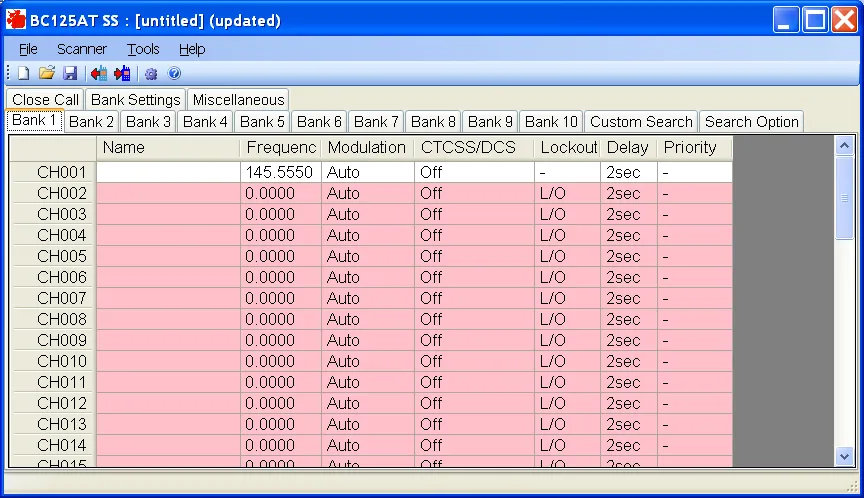
My scanner, a Uniden Bearcat BC125AT, was my primary tool for radio, and the programmer app for it is Windows only and 14 years without an update. There’s also an equally old Windows app called Scan125, which can control the scanner via USB. I decided to try to merge the two functions into one app.
I wanted to mimic the look and feel of the scanner hardware as much as I could in order for the app to feel automatically intuitive. I also realized that this new app could make it to where you can read your scanner from across a room, something that could be handy for some radio hams.
The more I thought about the experience of the screen at a distance, I had my first thought about visualizing the radio activity in my area, so I added the ability to log all scanner hits and added some simple visualizations. If anyone wants to go deeper into analyzing the data, they can export a CSV and go crazy.
When my visual idea started to gain traction, I decided that I didn’t want to make it part of this app. I wanted to keep this constrained to its initial use plus one unique feature. I also didn’t want to tie up my scanner. So, I went and made Kerchunk Kiosk.
I still had this app lying around, 90% finished, so I decided to complete it and make it available to anyone that wants to use it. It’s thoroughly tested on Mac, but I haven’t had anyone try the Windows or Linux versions, therefore it is currently a beta app.
I named the app Bearpaw, a nod to the Bearcat scanner that it controls over USB. If you use a BC125AT, I hope you’ll download Bearpaw and give it a try.